Open source
Tools we built to run the studio, given away free. Use them, change them, ship them.
Command Center
One calm board for every Claude project and thread you run, so you always know which ones need you.
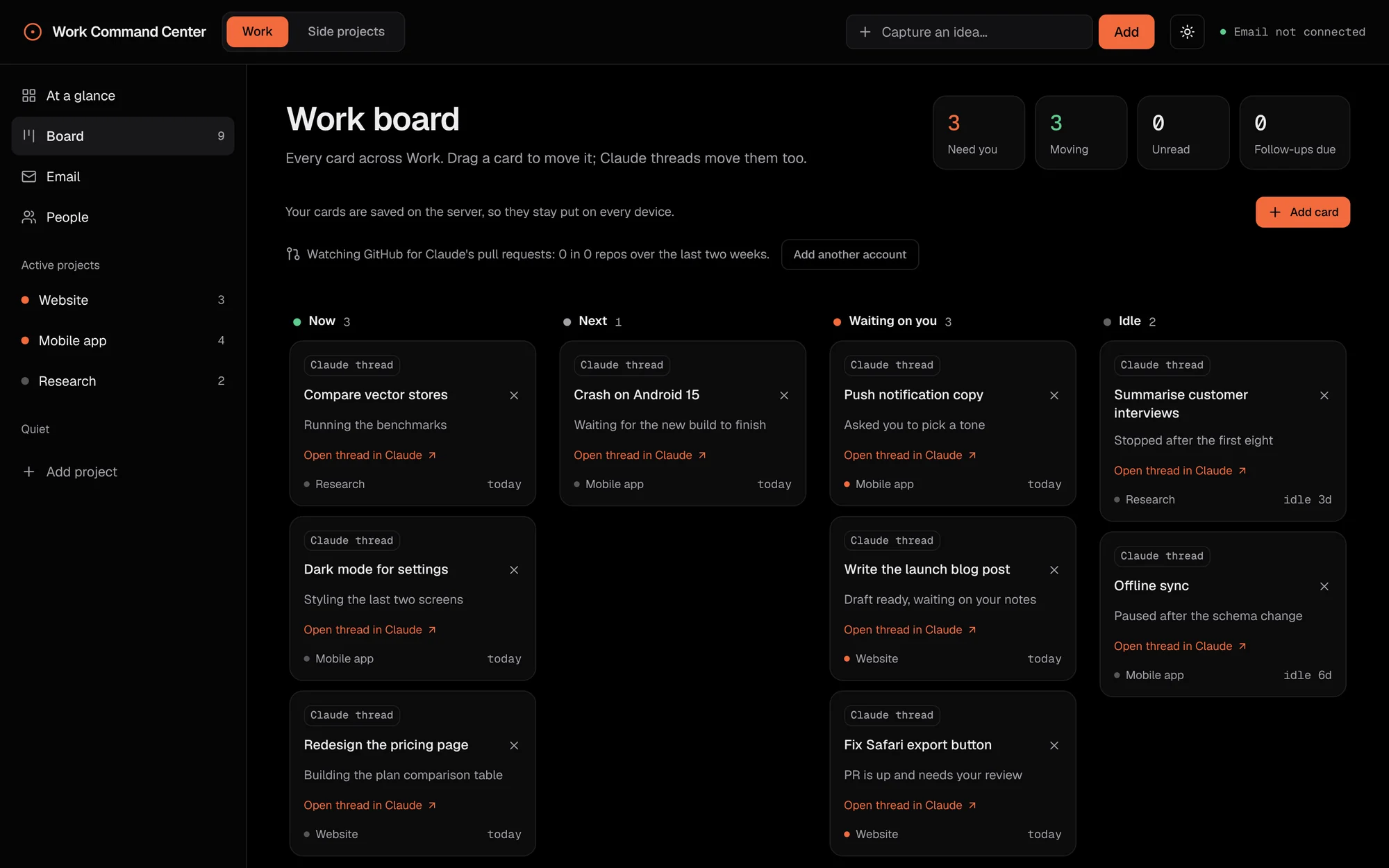
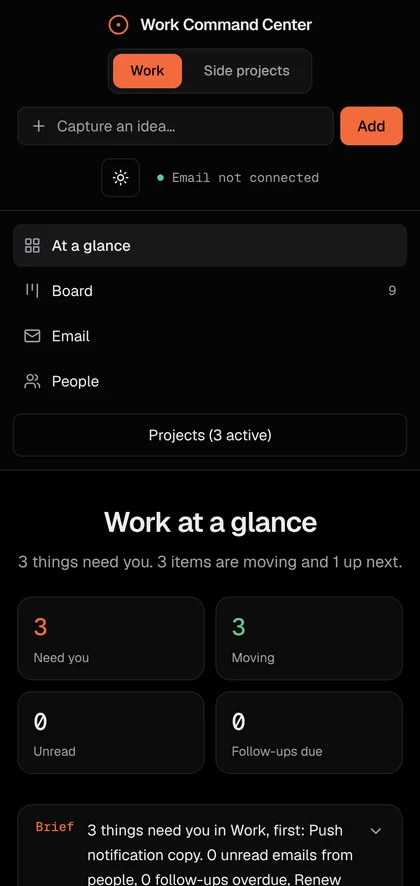
The board and the phone view, with sample projects.
The problem
Once you run several Claude projects, each with a handful of threads, you lose track. Which ones are still working? Which are waiting on you? Which went quiet three days ago? You end up clicking through every project to find out.
The tools that exist watch Claude Code sessions in a terminal, on one machine. None of them follow Claude app projects or cloud threads, project by project.
What it does
Command Center puts every thread on one board, under the same project it lives in on Claude, with how long it has sat there. Threads report their own status, so the board moves on its own as work starts, needs you and finishes.
It runs on your own server as one small app. Everything stays in a single Docker volume. No database and no outside service.
A short tour with sample projects: at a glance, the board, a project page, spaces and light mode.
How to set it up
You need a Claude account using Claude Code on the web, a server that stays on with Docker, and a web address for the board.
Part 1. Install it
- Download the codeOn your server:
git clone https://github.com/amaeteventurestudios/command-center.git
cd command-center
- Name your spaces and projectsOpen
command.config.json. A space is a group of projects with its own colour, such as your company or your side projects. List your projects with exactly the names they have in Claude. - Make your two keysCopy
.env.exampleto.env. SetDASHBOARD_PASSWORDto sign in with, andREPORT_TOKENfor your threads. Never paste the token into a chat.# run twice, one value for each openssl rand -hex 32 - Start itThe first build takes a few minutes. It then runs on port 3300 on that machine.
docker compose up -d --build
- Put it on HTTPSCaddy is the simplest. Put this in
/etc/caddy/Caddyfile, then reload Caddy. nginx or a Cloudflare Tunnel work too.board.yourname.com { reverse_proxy 127.0.0.1:3300 } - Point your address at itAdd an A record for
boardwith your server's IP address. Then open your board and sign in. Your projects are listed on the left.
Part 2. Connect your Claude projects
- Give your threads the keyIn each Claude Code cloud environment your projects use, add a network secret: host
board.yourname.com, headerAuthorization, valueBearerplus yourREPORT_TOKEN. The key is added to each request, so it never appears in a chat. - Paste one instruction into each projectThe guide has the block to paste. Change three things: your board's address, the space id and the project's name. It tells each thread to post its card when it starts, needs you or finishes.
- Sync each project onceIn each project's main chat, send this. Within a minute its threads are on the board, and from then on they keep their own cards up to date.
Sync the command center board now in a new thread.
Command Center is an independent project. It is not made by or affiliated with Anthropic.
HUNGREE Goat
Your own 24/7 radio station. It plays your music library around the clock, on the web and live on YouTube, and fixes itself when something breaks.
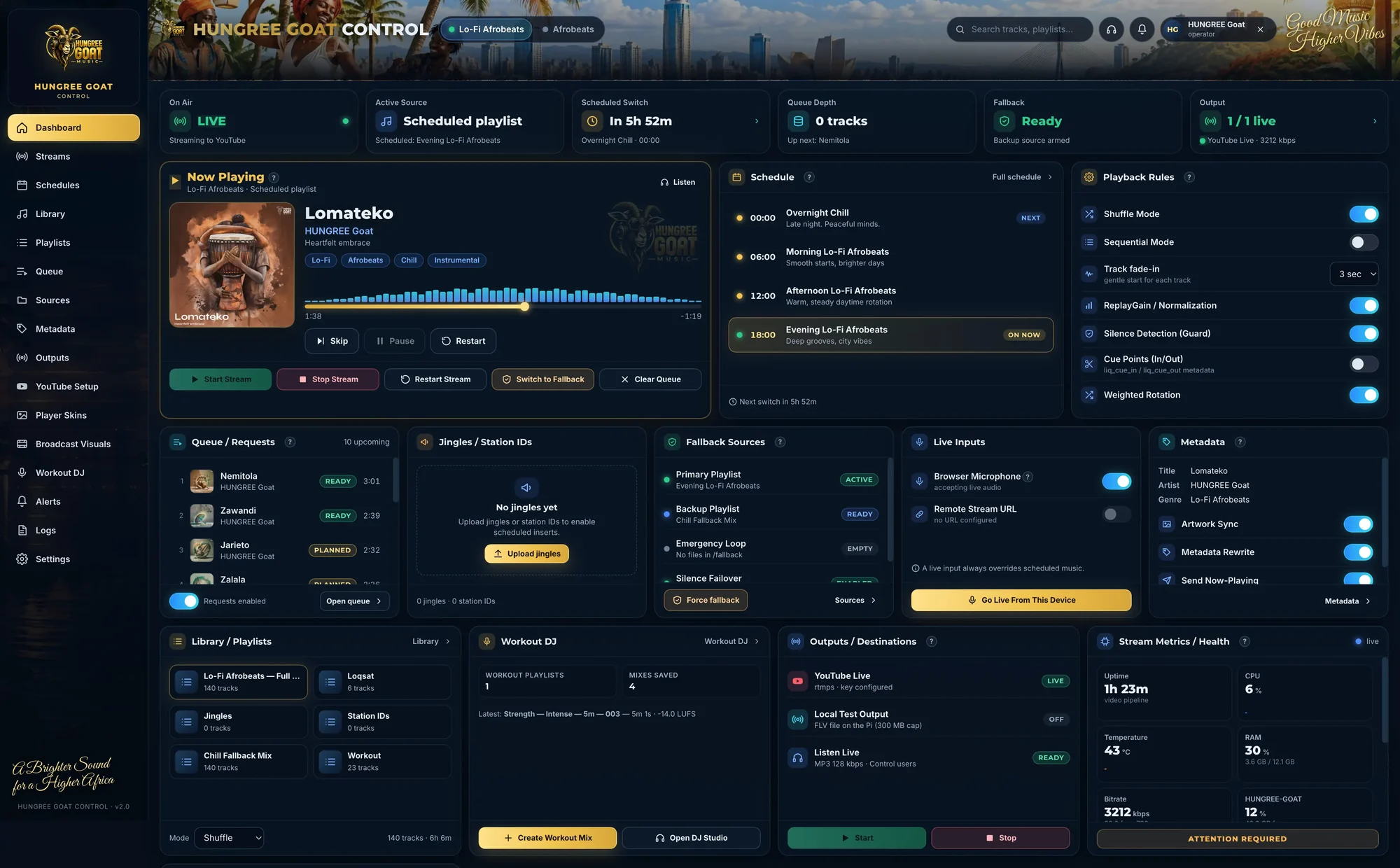
The control dashboard, running the Lo-Fi Afrobeats station.
What it is
HUNGREE Goat began as the engine behind a Lo-Fi Afrobeats station. It plays your own music library on a loop, all day and all night, to a player on your website and, with looping visuals and a now playing overlay, live to YouTube.
You run it from a private control dashboard: upload music, build playlists, schedule what plays when, take requests and step in when you need to. One install can run several stations.
Built to run unattended
A 24/7 stream fails quietly. The encoder can look healthy while nothing reaches YouTube. HUNGREE Goat watches for real forward progress, not just a running process, and restarts the audio or video when either stalls.
Its health page tells you what it knows and what it can't confirm, so you are never shown a green light that isn't true.
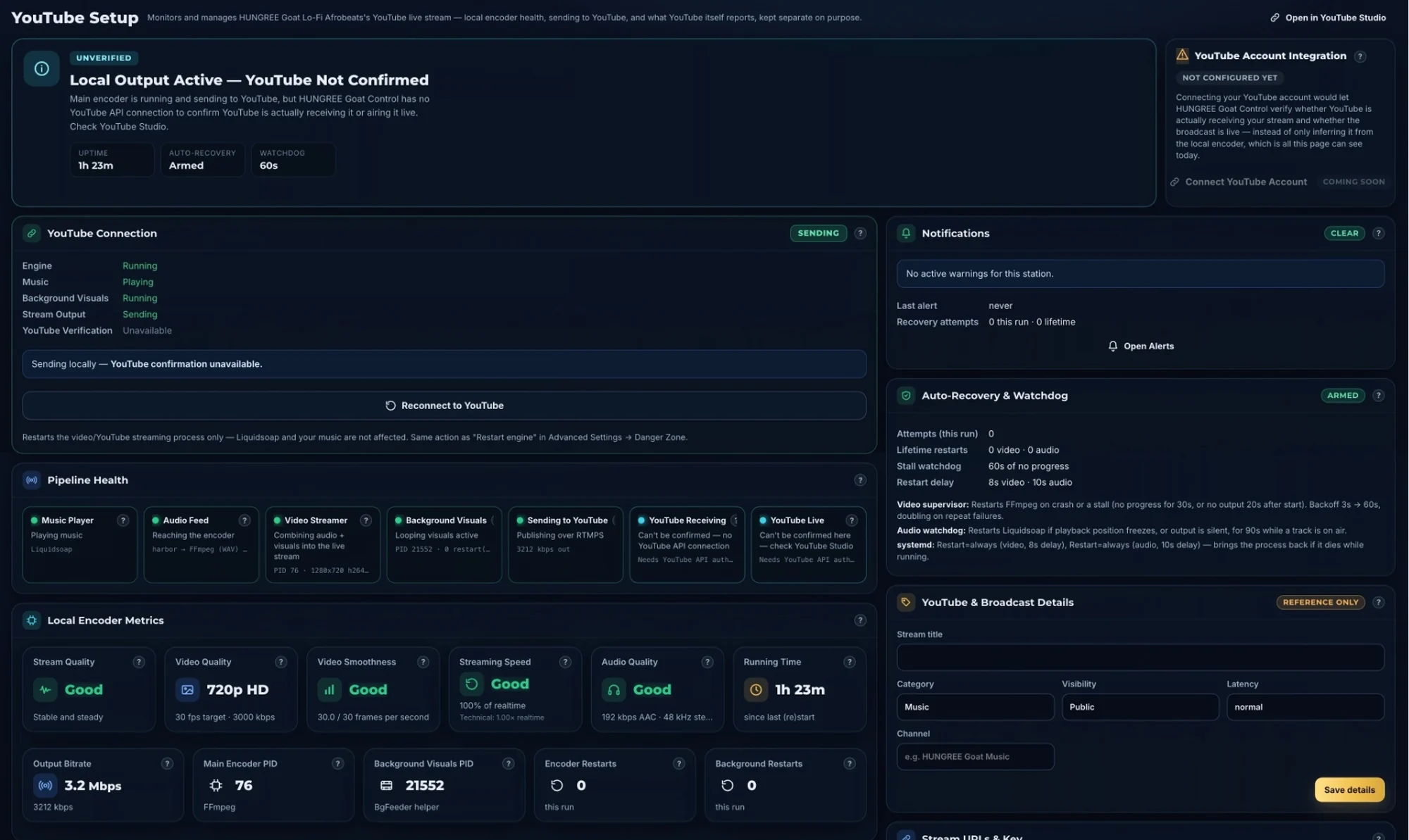
YouTube setup and health: each step from the music player to YouTube, checked on its own.
Runs on a Linux machine with Docker and your own music. A small always-on PC is ideal. Free under the AGPL-3.0. For other terms, commercial licences are available from us.
Read the install guideMore on the way
We'll publish more of the tools we use to build and run our companies here. Ideas, bugs and pull requests are all welcome.